USE CASE
An AI Chatbot for Small Business That Answers From Your Website
ClevrBot is an AI chatbot for small business websites built on WordPress. It learns the pages you already have, answers visitor questions 24/7, and captures contact info so you can follow up when you’re free.
58%
of small businesses say they use generative AI, up from 40% in 2024.
Source: U.S. Chamber of Commerce
10 min
is the reply time almost two-thirds of buyers expect for sales or service questions.
Source: HubSpot Research
The problem
What an AI chatbot for small business fixes
Running it yourself
- A visitor asks about your service area while you’re on a job, and the form sits unread until evening.
- The same few questions about hours, service area, and starting prices pull you away from paid work.
- Evening and weekend visitors get no answer, so they contact the next business in their search results.
- Adding front-desk help means another paycheck or a monthly answering-service bill.
With ClevrBot on your site
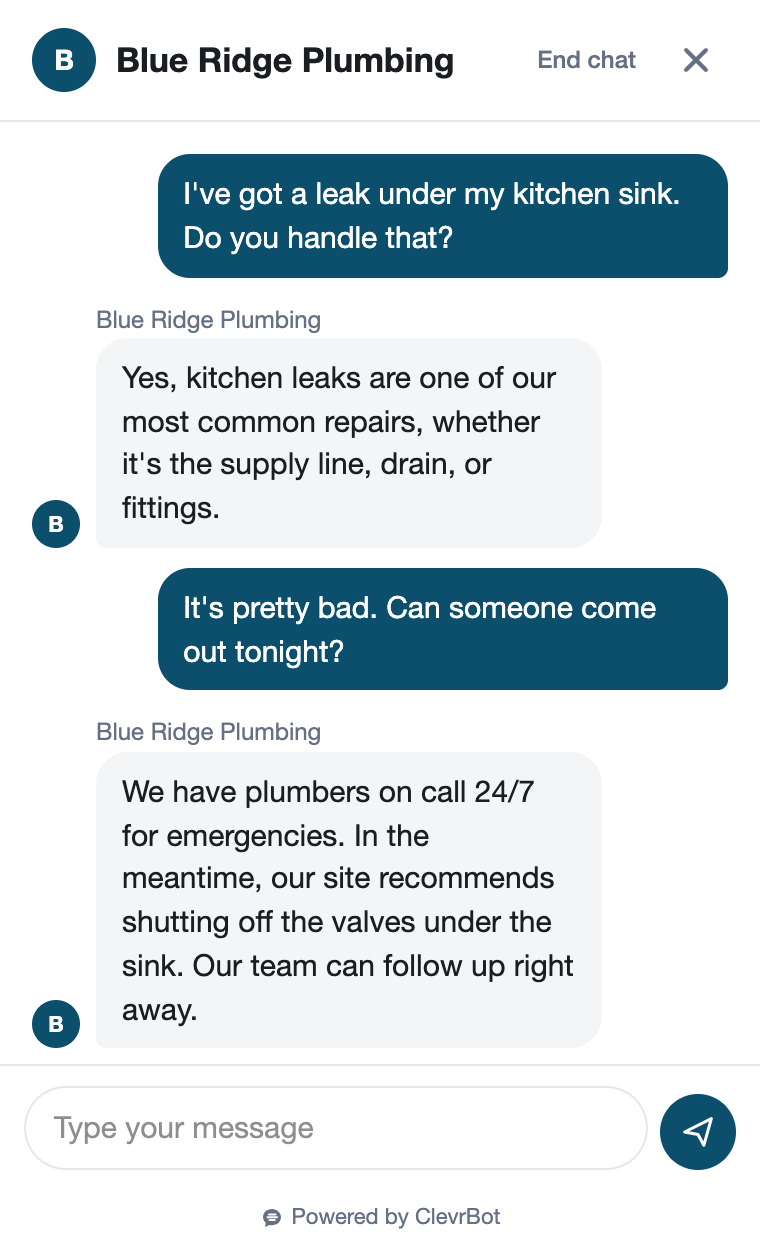
- Visitors get answers from your own pages right away, even while you’re working or asleep.
- Routine questions get answered from your FAQ and service pages instead of landing in your inbox.
- Visitors who want to hear from you can leave their email in the chat, and email alerts tell you when new conversations start.
- You can start at $0 with 100 free messages, then move to Starter at $49 a month for 1,000 messages.
Examples by industry
Questions small business visitors ask, answered from their own sites
Restaurants
Is there parking nearby?
Yes. Our Visit Us page says there’s free street parking after 6 p.m. and a public garage one block away on Main Street.
Insurance Agencies
Do you insure home-based businesses?
Yes, our Business Insurance page lists coverage for home-based businesses. Leave your email and an agent will walk through your options with you.
Hotels
Is breakfast included?
Yes. Our Rooms page says every rate includes a hot breakfast served from 7 to 10 a.m. in the lobby, with grab-and-go options for early checkouts.
Law Firms
Do you handle landlord-tenant disputes?
Our Practice Areas page lists landlord-tenant disputes for both landlords and tenants. For advice on your situation, leave your email and an attorney’s office will follow up.
Setup guide
How to set up an AI chatbot for small business
Most of the work is making sure your website says what you’d tell a customer on the phone.
List your top ten questions
Scroll back through a month of texts, emails, and voicemails. Write down the questions that keep coming up, such as service area, hours, starting prices, and how soon you can start a job. That list becomes your test script later.
Put every answer on a page
ClevrBot answers from your published content, so each question needs an answer somewhere on your site. A short FAQ page is the quickest fix, and it also helps visitors who never open the chat.
Clear out old pages
ClevrBot learns every published page, even ones missing from your menu. Unpublish last year’s promotion, the service you dropped, and any test pages before you upload. An outdated price repeated to a customer costs more trust than a missing answer.
Install and upload
Upload the plugin zip in WordPress, activate it, and enter your email address. Choose Pages and Posts, click Upload Content to ClevrBot, and set the widget to Preview only. Our setup guide shows each screen.
Test it like a customer
Preview only shows the widget just to logged-in administrators, so ask your ten questions the way a customer would type them. When an answer is vague or incomplete, add detail to the page it came from, upload again, and then switch the widget to Everyone.
Decide who follows up
Turn on email notifications so you know when a conversation starts, then pick a routine for replying, such as first thing in the morning and after lunch. Put that promise on your contact page so the chatbot can tell visitors when to expect a reply.
Know the limits
What ClevrBot can’t do for a small business
It won’t give custom quotes or price calculations
Instead: Publish starting prices or typical ranges, like “Most drain cleanings run $150 to $250.” The chatbot can repeat what you publish, and visitors can leave an email for anything that needs your eyes on the job.
It doesn’t take appointments or payments
Instead: Keep the tools you use now, and describe on your site how customers use them, such as “Call or text us to pick a time.” The chatbot can then explain the process in your words.
It only works on WordPress
Instead: Use it on a WordPress site where you can upload plugins. If your site runs on another website builder, ClevrBot isn’t a fit today.
It can’t read images
Instead: If your price list or menu is a picture or a scanned flyer, add the same details as text on the page.
Your messages have a monthly limit
Instead: If you run out, you can buy 500-message packs that roll over from month to month, or move to a larger plan.
Getting started
How It Works
Install the Plugin
Works with any WordPress theme.
Select Your Content
Choose which pages to index.
Start Capturing Leads
Answer questions 24/7.
How much does an AI chatbot for small business cost with ClevrBot?
The Free plan is $0 and includes 100 messages, which is enough to test it on your own site. Starter costs $49 a month for 1,000 messages a month and includes setup support. Plans are billed monthly with no contract, you can cancel anytime, and the Pro plan at $149 a month is coming soon.
Do I need technical skills to set it up?
If you can install a WordPress plugin, you can set up ClevrBot. You upload the plugin, activate it, enter your email, choose which content to upload, and turn on the chat widget. Our setup guide walks through each screen, and the Starter plan includes setup support.
What if a visitor asks something my site doesn’t cover?
ClevrBot answers from the content you upload, so gaps on your site become gaps in its answers. Test it with the questions customers really ask. When an answer is weak, add the missing details to a page, upload your content again, and ask once more.
How will I know when someone uses it?
Email notifications alert you when a new conversation starts, and you can add a summary of each conversation after it ends or goes quiet for 2 hours. Every chat, along with any email the visitor left, is saved in Chat History in your WordPress dashboard. The widget works on mobile, tablet, and desktop, so you hear about visitors on every device.
Is my business data used to train AI models?
No. ClevrBot uses third-party AI partners, but your data is not used to train any models, and you choose which post types get uploaded. We follow industry-standard practices, including access controls and encryption, to keep your data safe and secure.
Can ClevrBot replace a receptionist or answering service?
Not completely. ClevrBot answers website questions and captures contact info, but it doesn’t answer phone calls, take appointments, or accept payments. It does take repeat questions off your plate, and if you set up live chat handoff, you can step into a conversation yourself when it matters.
How is this different from using ChatGPT myself?
ChatGPT is a general tool you open on your own device. ClevrBot sits on your website and answers your visitors, drawing on the pages and posts you upload instead of the open web. It also captures contact info from visitors who want to hear from you, so a good answer can turn into a follow-up.
Let your website answer while you work
Start with 100 free messages. Install the plugin, choose your pages, and turn on the chat.