USE CASE
A Lead Generation Chatbot That Answers Before It Asks
ClevrBot is a lead generation chatbot for WordPress sites. It answers visitor questions from your own pages first, then captures contact info from people who are ready to talk.
82%
of buyers rate an immediate response as important when they have a sales or marketing question.
Source: HubSpot Research
The problem
Why a lead generation chatbot beats a contact form alone
Form-only lead capture
- A visitor has one question, like “Do you serve my area?”, and your form asks for a phone number before answering it.
- When a form gives people trouble, most abandon the process instead of contacting you another way.
- Visitors who aren’t a fit fill out the form anyway, and you spend a callback finding out.
- Nobody answers questions at night or on weekends, so interested visitors leave with nothing.
With a ClevrBot conversation
- Visitors ask their question and get an answer right away from your service, pricing, and FAQ pages.
- Once they know you’re a fit, they can leave their email in the same chat.
- Poor-fit visitors learn about your service area or minimums from your pages before they contact you.
- Questions get answered at 11 p.m. and on Sundays, not only during office hours.
Examples by industry
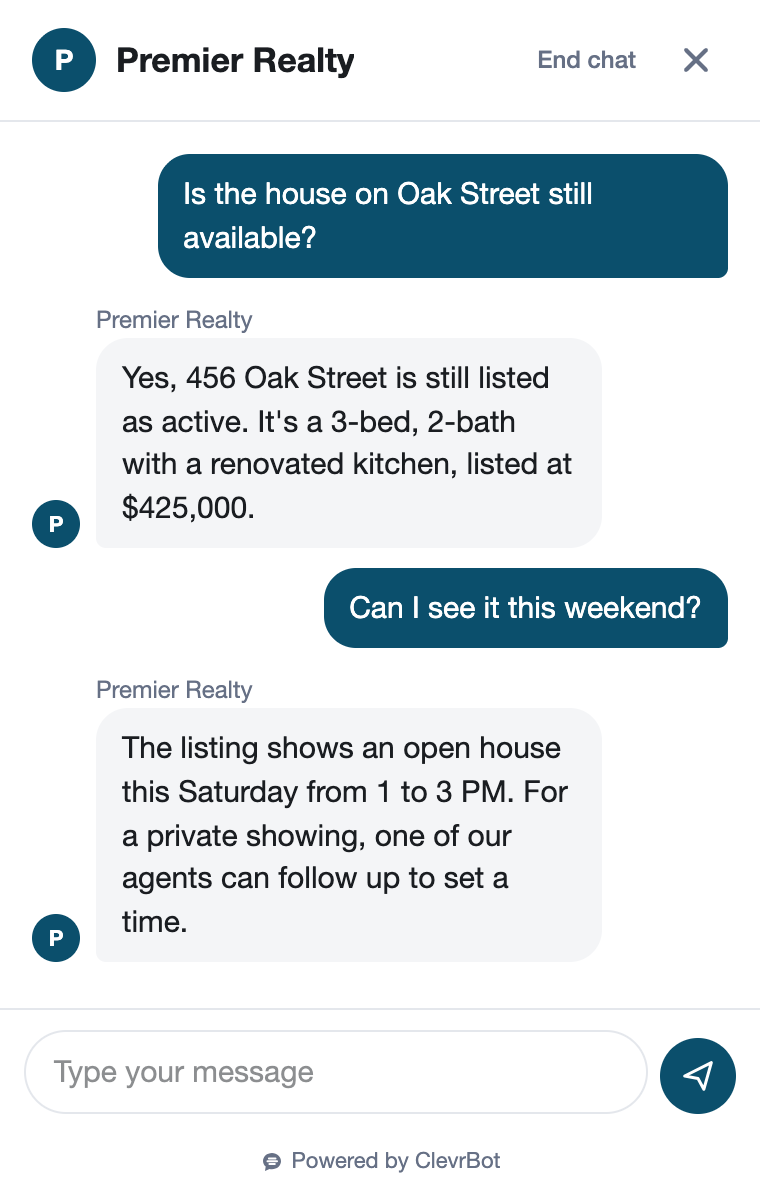
Answers first, then an email: examples by industry
Real Estate
Do you work with buyers relocating from out of state?
Our Relocation page explains how we help out-of-state buyers with virtual tours and remote closings. Leave your email and an agent will reach out.
Insurance
Do you write commercial auto policies for contractors?
Our Commercial Auto page covers policies for contractor trucks and vans. Leave your email and an agent will review your options with you.
Auto Dealerships
Do you take trade-ins?
Our Trade-In page says we accept trade-ins of any make toward your purchase. Leave your email and our team will follow up about an appraisal.
Property Management
Do you manage single-family rentals for owners?
Our Owners page says we manage single-family homes and small multifamily buildings, including tenant screening and rent collection. Leave your email and our team will follow up.
Setup guide
Set up your lead generation chatbot to capture better leads
A chatbot that answers from your pages captures leads only as well as those pages answer buying questions.
Answer pre-contact questions
List what prospects want to know before they reach out: service area, starting prices or ranges, minimums, turnaround, and what’s included. Put each answer on a published page so the chatbot can give it. A line like “Most kitchen remodels start at $25,000” answers far more than “Call for pricing.”
Publish your qualifiers
If you don’t serve certain areas, job sizes, or property types, say so plainly on your site. The chatbot answers from that content, so poor-fit visitors find out before they fill your inbox.
Explain what happens next
On your contact page, say who follows up, how, and how fast. Visitors feel better about leaving their email when the chatbot can answer “What happens after I send my info?” A line like “We reply within two business hours” does the job.
Remove expired offers
ClevrBot learns every published page, even ones no menu links to. Unpublish old promotions and outdated pricing so a lead never hears about an offer you no longer honor.
Install and test it
Upload the plugin, choose Pages and Posts, and click Upload Content to ClevrBot. Test your top questions in Preview only mode, which shows the widget just to logged-in administrators. Then switch it to Everyone so the Chat with us button appears for all visitors.
Choose your capture setting
By default, the widget asks for an email after the visitor’s first message. Require name and email gets contact details from every chat, though some visitors will leave instead. Turn on email notifications and reply the same day while each visitor still remembers you.
Know the limits
What ClevrBot leaves to you
It doesn’t score leads or sync them to a CRM
Instead: Copy the emails you collect from Chat History into the system you already use as part of your daily follow-up routine. Even a shared spreadsheet works if one person owns it.
It won’t quote custom prices or estimates
Instead: Publish price ranges where you can, and save real quotes for the follow-up, where you can ask the questions a fair quote needs.
It doesn’t take appointments or payments
Instead: Keep your current tools for those. Describe how they work on your site so the chatbot can explain the next step.
It doesn’t follow up on its own
Instead: Reply to each captured lead yourself, and do it fast. A quick reply matters more than a perfect script.
It doesn’t manage marketing consent
Instead: If you plan to add chat contacts to an email list, get consent the way your email platform and local privacy laws require. Keep your privacy policy linked on your contact page.
Getting started
How It Works
Install the Plugin
Works with any WordPress theme.
Select Your Content
Choose which pages to index.
Start Capturing Leads
Answer questions 24/7.
How is a lead generation chatbot different from a contact form?
A form asks for contact details first and answers later. A lead generation chatbot answers the visitor’s question first, from your own pages, and captures contact info once they’re interested. You can keep your contact form too, since ClevrBot runs in its own chat widget.
Does ClevrBot qualify leads?
ClevrBot works as a lead qualifier by answering qualifying questions from your content. If your site says you serve three counties or start at a certain project size, visitors learn that before they share their info. It doesn’t assign scores or route leads, so you still decide who to contact first.
Where do the leads it captures go?
Each conversation, along with any name and email the visitor left, is saved in Chat History in your WordPress dashboard. Email notifications can alert you when a new conversation starts and send a summary after it ends or goes quiet for 2 hours. ClevrBot doesn’t push leads into a CRM, so copy them over as part of your routine.
How fast should I follow up with a lead?
HubSpot Research found that 82% of buyers rate an immediate response as important when they have a sales or marketing question. The chatbot gives visitors that immediate answer, and your reply should follow the same day while their interest is fresh. If you can’t answer fully right away, a short email saying when you will still beats silence.
What does ClevrBot cost for lead generation?
The Free plan costs $0 and includes 100 messages to test on your own site. Starter is $49 a month for 1,000 messages a month with setup support, and Pro at $149 a month is coming soon. Plans are billed monthly with no contract, and extra 500-message packs roll over if you have a busy month.
Will it work with my website?
ClevrBot installs as a WordPress plugin from a zip file and learns the post types you select, such as Pages and Posts. The chat works on mobile, tablet, and desktop, and it replies in the language each visitor writes in. If your site runs on another platform, ClevrBot isn’t a fit today.
Which businesses get the most from it?
Businesses whose visitors have questions before they’re ready to talk, such as real estate agents, insurance agencies, property managers, and home service companies. If your phone and inbox fill with the same pre-sale questions, those answers belong on your website anyway. Once they’re published, a chatbot that answers from those pages can turn more of that traffic into conversations.
Turn your website’s answers into leads
Start with 100 free messages. No conversation flows to build and no forms to redesign.